Acquiring an action camera
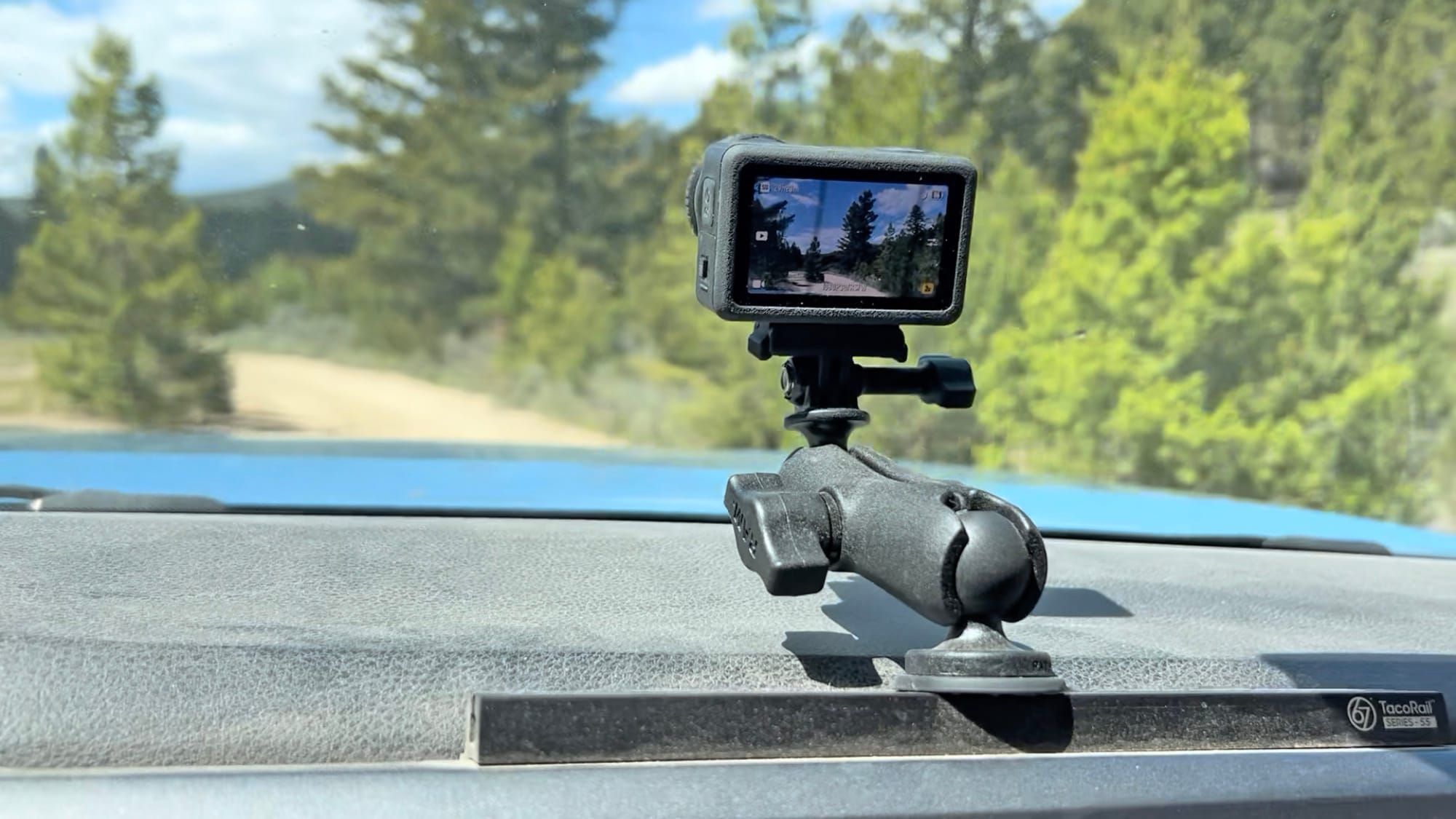
The action camera product category has been growing and evolving for over 20 years, and after being tempted many times, I've finally acquired one. Last month, I picked up a DJI Osmo Action 6. This post is a few first thoughts and reactions after a month of using it.
The exact definition of an action camera is a bit vague, and people usually define it by simply naming products that are sold as action cameras: GoPro Hero models, the Insta360 line, DJI's Osmo series, and others. Features vary across the various manufacturers, but action cameras usually have all of these attributes:
- They're small, lightweight, and tough, designed to be worn (attached to a helmet or chest harness, usually) or attached to a bicycle, surfboard, car, or other moving object.
- They have some form of image stabilization built in, so that you can get smooth video footage while the camera is shaking around.
- They're waterproof, so you can use them while swimming, surfing, snorkeling, or scuba diving.
- They tend to use wide-angle lenses with extreme depth of field – everything is usually in focus.
I did a bunch of research and eventually settled on the DJI Osmo Action 6 as a good fit for my particular needs. I had narrowed my choice down to it or a GoPro Hero 13, but the Action 6 has slightly better low-light performance, which is appealing to me. And GoPro is in financial trouble lately, whereas DJI is doing just fine, so I decided to go with the manufacturer least likely to stop supporting their products any time soon.
My first selfie-stick video.
The end of the above video shows one of the features of the Action 6: gesture control. I have it set so that I can turn video recording on or off by simply waving my hand, which is handy when the camera's mounted on a long selfie stick and hard to reach. Normally you'd edit out the gestures, but I left that one in to show how it works – the recording automatically stopped when I waved.
OK, on to some first impressions of this fun little camera. This is not an exhaustive review, just a few thoughts on things I've experienced in my first month of playing around with it. Short version: I love it!
Low-light performance
I've always enjoyed low-light photography, and my Nikon D850 is a great camera for that sort of thing, but I've never had a way to capture decent video in low-light conditions. So the positive reviews of the Action 6's low-light video performance were a major factor in my decision to get this camera.
I often walk my dogs in the dark, and I've never been happy with the video I get with my iPhone during those walks. My Nikon takes better low-light videos, but it's a big heavy expensive piece of gear, and it makes me nervous to be walking around in the dark trying to use it with one hand while juggling three big dogs on leashes with the other hand. That seems destined for trouble.
As a point of comparison, my Nikon D850 with a battery, hand grip, and my favorite low-light lens (the Nikkor 14-24mm F/2.8) weighs about 4.5 pounds, and the DJI Osmo Action 6 weighs less than 6 ounces – over 10 times lighter!
The video below is the first time I tried recording video in low light with the Action 6 – a dog walk before sunrise. The colors and sharpness are great for the conditions, and overall it looks even better than I was expecting.
Example of low-light video performance.
Photo quality
The Action 6 has improved photo quality relative to previous releases in DJI's Osmo Action lineup, due to a variety of new features and enhancements including 1x1.1 inch sensor, variable aperture from F/2.0 to F/4.0, and expanded dynamic range.
I've been using the camera mostly for photos of the dogs, and here are three examples in various lighting conditions:
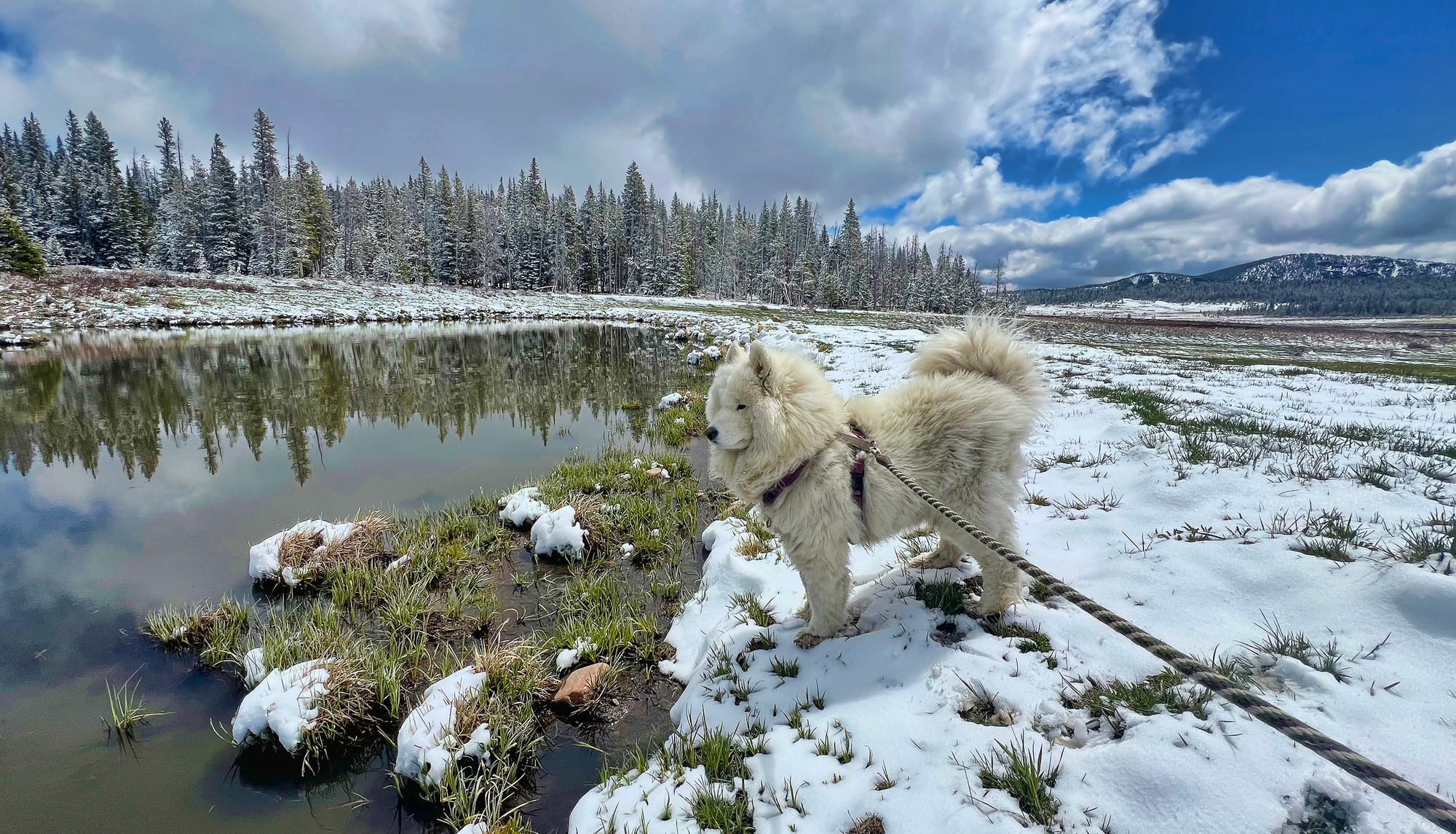
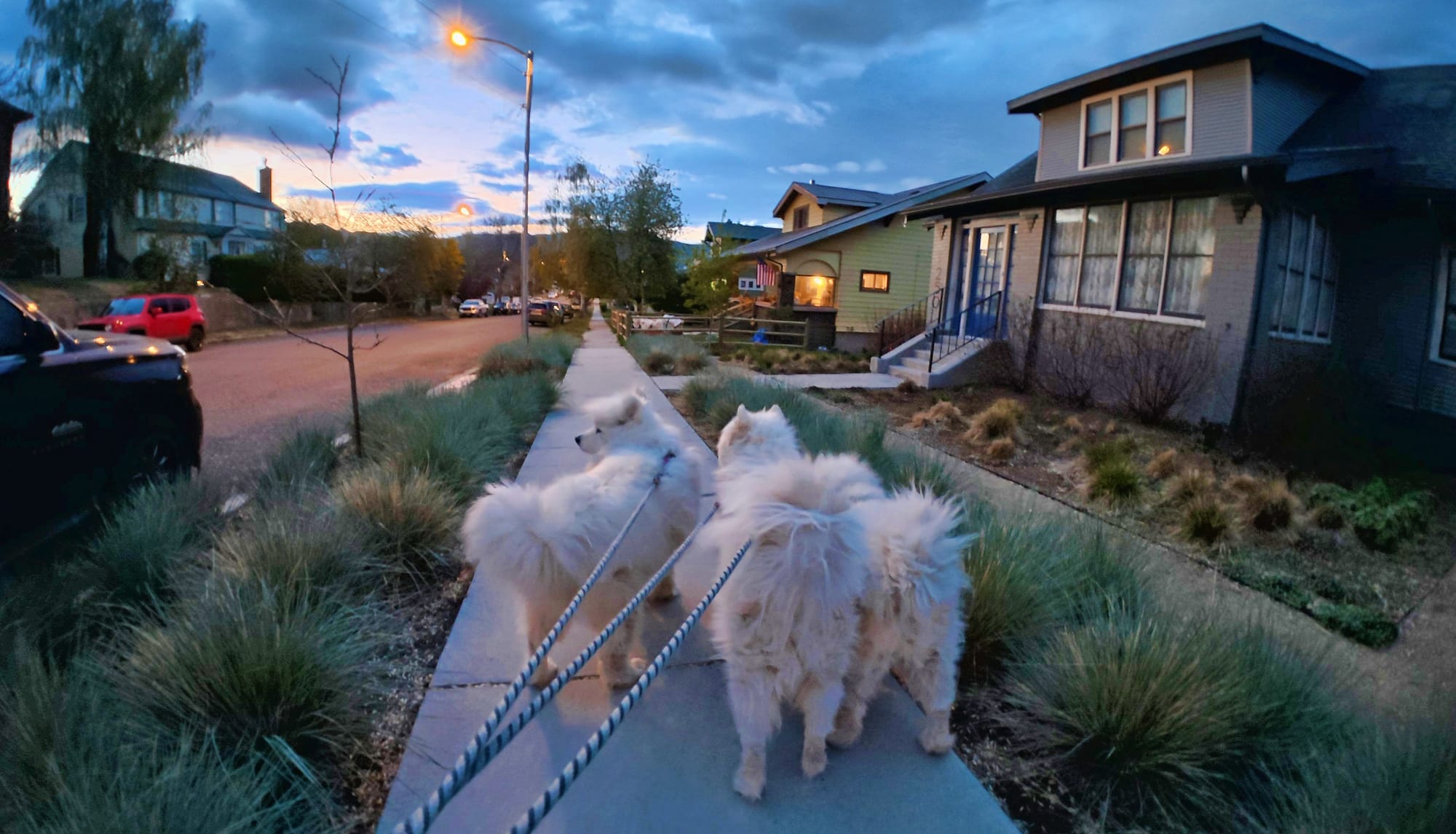
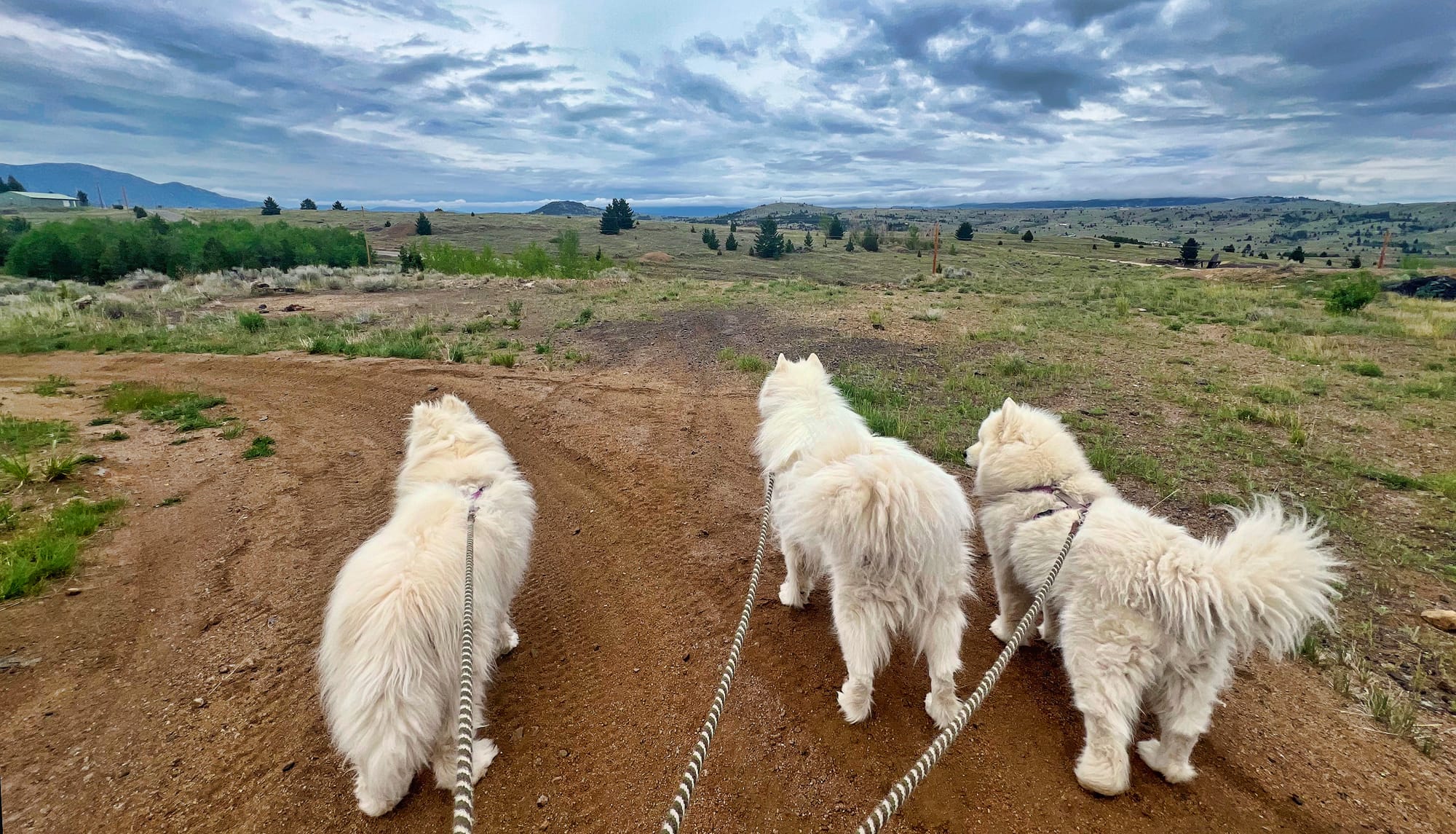
Photos taken with the DJI Osmo Action 6.
I got this camera for its video capabilities, but I'm very pleased with the photos it takes, too.
Interchangeable lenses
One of the breakthrough features of the Action 6 is its interchangeable lens options. Most action cameras just have a single built-in lens, but the Action 6 has a lens that can easily be interchanged with two other lenses that DJI currently offers (in addition to the default lens that comes on the camera): a macro lens for closeups and manual focus with reduced depth of field, and a wide-angle lens that provides 182 degrees field of view.
I have the default lens and the wide-angle lens. I don't have the macro lens yet, but I suspect I'll get one eventually. Honestly, I wish I'd gotten the macro lens instead of the wide-angle lens, because the default lens is almost as wide as the wide-angle.
There's a button that toggles the default lens between its standard field of view (1X magnification) and a 2X digital zoom, and below are three photos taken from the same position with the three magnification options that I have available.
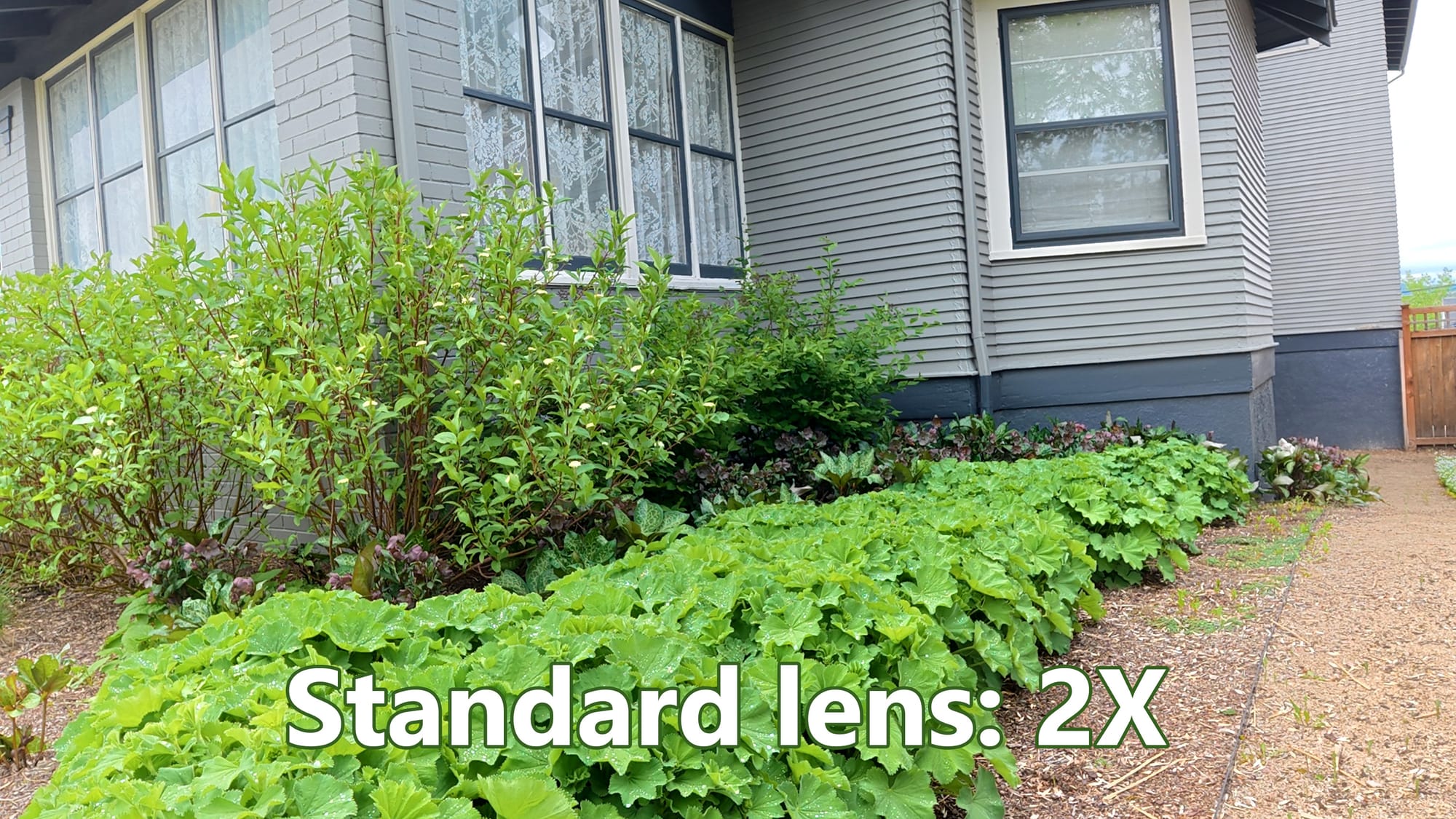

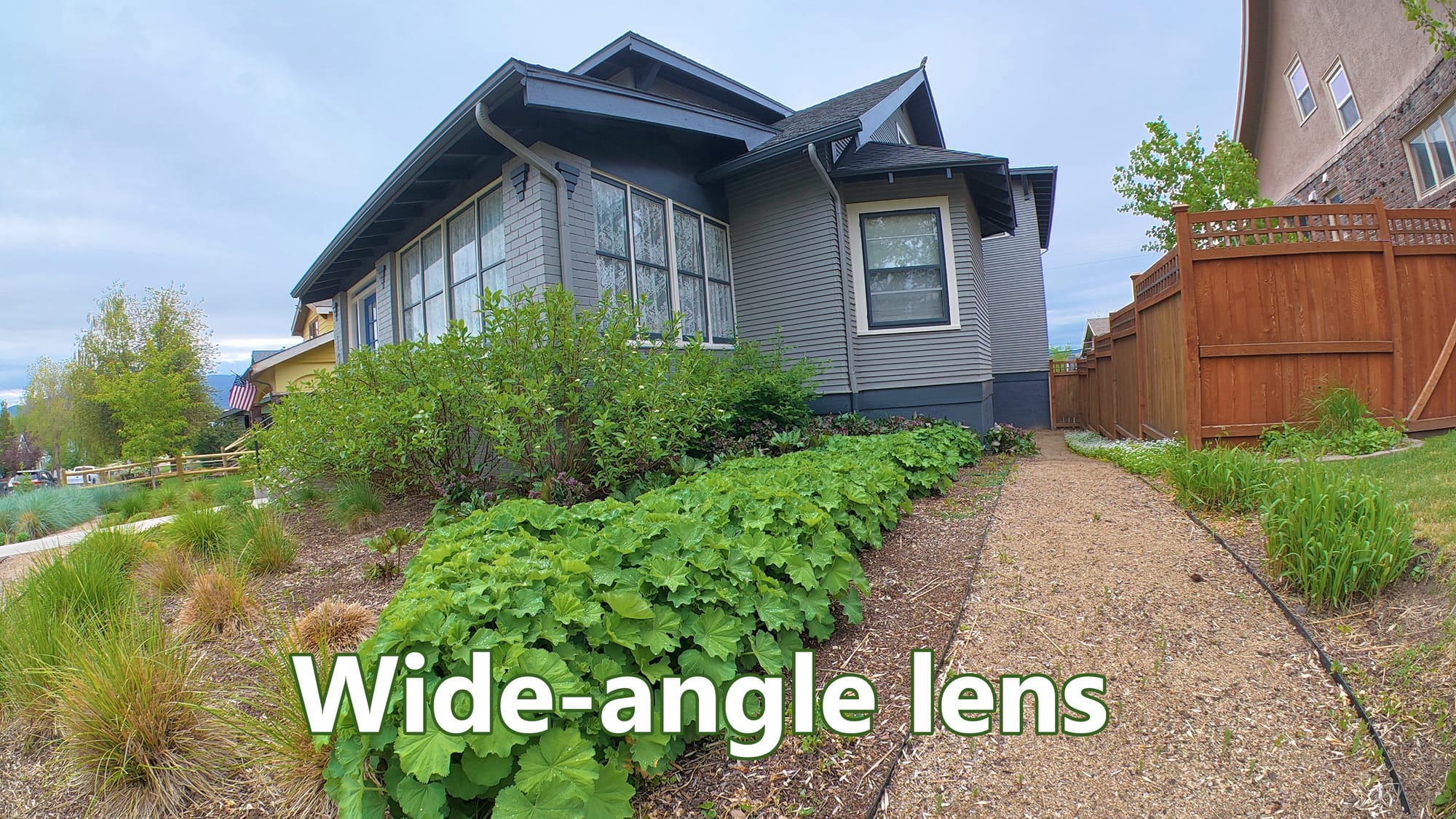
The three lens options I currently have. Note that the standard lens at 1X magnification is nearly as wide as the wide-angle lens.
I tend to use the standard lens most of the time, but I put on the wide-angle lens for dog walks just to get a little extra coverage of everything in front of me when recording video from the chest harness.
One thing to keep in mind is that the default lens is waterproof, but the wide-angle lens isn't. So for underwater use, or any time I might get the camera splashed with water, the default lens is the way to go.
Walking videos
Action cameras are great at capturing a first-person view of walking or hiking. You can just hold the camera in your hand, or use a helmet with the camera mounted on it, a neck harness, a chest harness, or other options.
I picked up a neck harness (this one) and a chest harness (this one). The neck harness is very quick and simple to put on or take off, but I have mostly been using the chest harness because it holds the camera a bit more securely, and I find the lower position to be a good angle for recording video of walking the dogs.
Here's an example video recorded from the chest mount harness while using the wide-angle lens:
Walking the dogs at Homestake Lake.
The Action 6 has built-in features for capturing timelapse and "hyperlapse" videos. In DJI's use of the terms, a timelapse is a speeded-up video captured from a tripod or other stationary mount, and a hyperlapse is a speeded-up video captured from a moving object: a person walking, a dog, a bicycle, a motorized vehicle, or other creative options.
Explaining all of the details of how the Action 6 supports timelapse and hyperlapse videos would be a big topic, and I haven't yet tried most of the options, but here's an example of a video recorded on the 10X hyperlapse setting while walking around with the Action 6 on a chest mount harness:
A short walk on the Montana Tech campus.
Driving videos
Living in Southwest Montana, I have many opportunities to drive through gorgeous scenery. Even something as mundane as running an errand at the nearest Lowe's or Home Depot includes a drive over spectacular mountain passes, and I've always wanted to be able to capture video of those drives.
In the summer of 2022, I decided to install a camera mount on the dash of my truck and try capturing some video. But as the video below shows, you must have some sort of image stabilization to smooth out the vibration of the vehicle.
This shaky video captured with my Nikon DSLR shows the problem that the DJI Osmo Action 6's built-in image stabilization solves.
You can use various types of image stabilization software to smooth out a video like that one, but that's a time-consuming extra post-processing step you have to take every time you record a video. With action cameras, that image stabilization processing is built right in, and companies like GoPro and DJI have been competing on image stabilization algorithms for many years.
In the latest cameras, such as my Action 6, the image stabilization works really well, as you can see in the examples below. For these examples, I mounted my Action 6 on the same dash mount that I used in the DSLR example above.
In the first example, I set the cruise control to 80MPH on a recent drive up I-15 to Helena. I captured a few minutes of video, then compiled it into the clips below that show what it looked liked at original 1X and sped up to 2X, 4X, 8X, and 15X original speed.
Examples of sped-up dashcam video.
Below is another example of capturing video from the dash mount, but on a rough dirt road where I sometimes had to slow down to 1-2MPH for deep holes or rough spots, and my maximum driving speed was around 10-15MPH. You can't get the same smoothness in these conditions, because the vehicle speed isn't constant, but it can still be an interesting effect.
Examples of dashcam video on a rough dirt road.
On both of those examples, I used the Action 6's standard lens at 2X magnification. At 1X magnification, the field of view is so wide that the road ahead is very thin, so I prefer the look of 2X magnification.
Unfortunately, I found that the Hyperlapse mode of the Action 6, for capturing sped-up videos like these, doesn't support the 2X magnification. So to make these videos, I captured regular speed video at 2X, then sped it up in post-processing. (I use Cyberlink PowerDirector 365, but pretty much any video editing software can do this.)
Slo-mo mode
There are several examples above of speeded up video, but the Action 6 also has some interesting features for taking slow motion videos. You can take a video at 120 FPS (frames per second) and then slow it down in post-production with your favorite video editing software, or you can use the built-in Slo-Mo mode, which captures a slow motion video in real time. Using Slo-Mo mode is handy, because you can immediately see the results by playing back the video on the camera's screen, to know whether you got what you were expecting.
As a general rule, for a smooth looking slo-mo video you want to have 30 FPS in the final slowed-down video that you create. The Action 6 can capture 120 FPS video in any of its three video resolutions (1080p, 2.7K, or 4K), so those clips can be slowed down by a factor of 4. In the 1080p resolution, however, (1920 x 1080 pixels, sufficient for most social media posts), the Action 6 can capture a whopping 240 frames per second, which can be slowed down by a factor of 8X and still create a smooth output video.
The video below is an example of the Action 6's 240 FPS 8X slo-mo mode. I sped up the first part (before the truck tire hits the water) in post to make it normal speed, and the footage after that is exactly as captured in the camera.
Example of 8X slo-mo mode.
Pros and cons
I said earlier that this isn't a comprehensive review, but for what it's worth, here's how I'd sum up the things I like and don't like after my first month using the DJI Osmo Action 6.
Pros:
- Low-light video performance
- Image stabilization is amazing, across all sorts of conditions
- Light weight, small size, rugged waterproof construction
- Huge variety of accessories available from DJI and others
Cons:
- I find the user interface clumsy at times. Not just because I'm new to it, but there are a bunch of little UI design decisions that I disagree with.
- Although I've read that battery life is much improved relative to previous models, I've been surprised how quickly I deplete a battery. Perhaps this is just due to the fact its batteries are so much smaller and lighter than the batteries I'm used to in my DSLR and drone.
And honestly, I can't think of any other frustrations I've had so far. Which I guess sums up this post pretty well: I've used the DJI Osmo Action 6 daily for nearly a month, and I've found a bunch of things I love and almost nothing to complain about!